> For the complete documentation index, see [llms.txt](https://ap-buddy.gitbook.io/docs/llms.txt). Markdown versions of documentation pages are available by appending `.md` to page URLs; this page is available as [Markdown](https://ap-buddy.gitbook.io/docs/modules/clean-listings.md).
# Clean Listings
## Overview
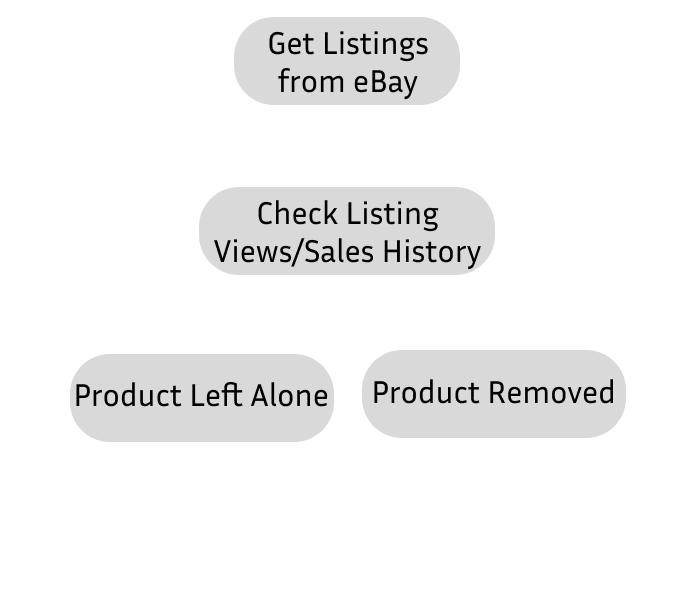
The Clean Listings module is used to remove listings that don't meet desired view/sales thresholds that can be set in your config. This is useful for ensuring free listing space isn't used up, and increasing your sell-through-rate statistics. The module gets all listings with 24 hours or less before renewal, and checks their views and sales history. It then compares the views and sales history to your configured settings and determines if a product should be deleted or left alone.
### eBay Setup
In order for the module to have access to listing information, your eBay listings page must be properly configured.
1.) Head to your eBay Listings page.
2.) Click Customize Table - This should be at the top right of the listings table.
3.) Enable 'Sold Quantity', ' Views (30 Days)', 'Current Price' and 'Start Date'. You are welcome to enable any other columns you wish, these will not affect the module's operations.
4.) Press save and you're done this step!
## Configuration
* **Mode** : ( Recommendation : Both )
* **Views Mode** : Uses only views to determine if an item should be deleted. If an item has less views than the view count configured it will be deleted.
* **Sales Mode** : Uses only sales to determine if an item should be deleted. If an item has less sales than the sales count configured it will be deleted.
* **Both Mode** : Uses both views and sales to determine if an item should be deleted. If an item has less views and less sales than the configured view and sales count it will be deleted.
* **View Count** : The minimum number of views for an item to pass checks and not be deleted by AP Buddy.
* **Sales Count** : The minimum number of sales for an item to pass checks and not be deleted by AP Buddy.
* **Lifetime Sales Count** : Only used when **Use Monthly Sales** is enabled. Prevents deletion of items whose lifetime sales are greater than or equal to this value.
* **Example**: if this is set to 5, any item with 5+ lifetime sales will be kept, even if its monthly sales would otherwise qualify it for deletion.
* **Use Monthly Sales** : Changes Sales Count to check the Monthly Sales count. Otherwise, it uses Lifetime Sales Count. ( Recommendation : Enabled )
* **Sales Count Edit Threshold** : The number of sales where AP Buddy will no longer edit a product's price.
* **View Count Edit Threshold** : The number of views where AP Buddy will no longer edit a product's price.
* **Margin Edit Amount** : The amount to drop the target profit margin by when an item is edited.
* **Minimum Profit Margin** : The minimum profit margin AP Buddy will allow to be set.
* **Minimum Real Profit** : The minimum dollar amount profit margin AP Buddy will allow to be set.
* **Ignored Item IDs** : A list of Item IDs the Clean Listings module will entirely ignore. One Item ID to a line.