> For the complete documentation index, see [llms.txt](https://ap-buddy.gitbook.io/docs/llms.txt). Markdown versions of documentation pages are available by appending `.md` to page URLs; this page is available as [Markdown](https://ap-buddy.gitbook.io/docs/modules/check-listing-profit.md).
# Check Listing Profit
## Overview
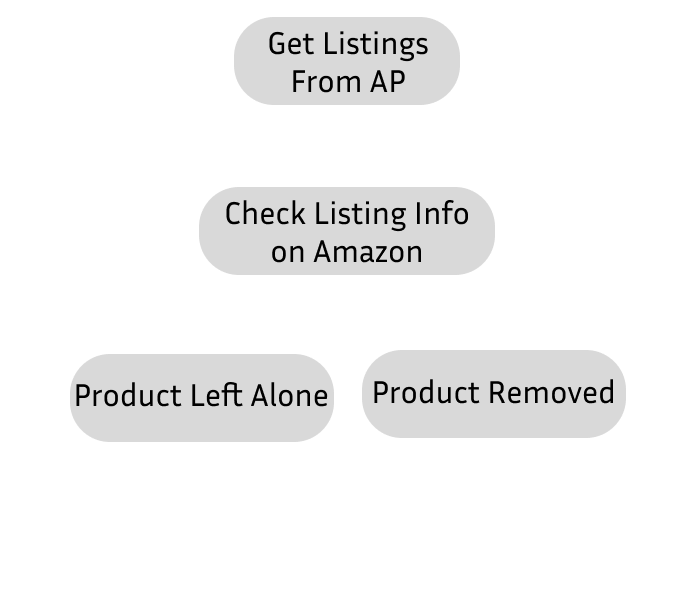
The Check Profit module is useful for ensuring products that can't be fulfilled for a various number of reasons don't end up being sold, and for ensuring items aren't listed at a negative profit margin. This module pro-actively scans listings before they sell, and removes listings with common issues. It also looks for item listed at a negative profit margin and updates them to your configured profit margin. The [Product Checks](#product-checks) the module makes are included below. This module will also clip coupons for the account it's logged into while processing products, ultimately leading to slightly increased margins that would otherwise be unaccounted for.
The Check Profit module checks listings in order of most recently listed to oldest.
The module will go through as many pages as configured in the Max Product Pages setting. Each page includes 20 products. By default the config is set to 30 pages, so 30 x 20 = 600, 600 products will be checked.
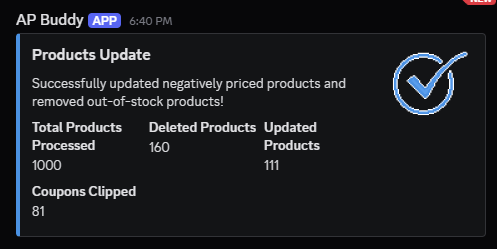
After running through all product checks an embed will be sent to your Discord Webhook detailing how many items were removed, how many were updated, and how many coupouns were clipped.
## Product Checks
AP Buddy checks for a number of common issues before deciding a product is worth sourcing. All checks with a brief description are included below.
* **Page Not Found/Item Not Available**
If an item returns the Amazon dogs, and/or a Page Not Found page, the item will not be selected for import.
* **Banned Products**
AP Buddy includes a configurable Banned Products list, where keywords can be added. If these keywords are found in the product title the item will not be selected for import.
* **Price Doesn't Match**
If the price doesn't match what AP has stored, the item will not be selected for import. This prevents issues with miscalculated profit margins that ultimately can lead to a loss.
* **Can't Be Shipped**
AP Buddy allows a Zip Code to be configured (typically set to a California Zip Code to cover Prop 65). This ZIP Code can indicate if an item can't be shipped to the given location. If it can't the item will not be selected for import.
* **High Return Rate**
If an item is found to have a high return rate, it will not be selected for import.
* **Kindle Item**
If an item is found to be a Kindle item, it will not be selected for import.
* **Amazon Fresh Only**
If an item is found to only be delivered via Amazon Fresh it will not be selected for import.
* **Minimum Quantity Requirement**
If an item has a minimum quantity requirement per order, it will not be selected for import.
## Configuration
* **Delivery Date Threshold** : The maximum difference in days between today and the estimated Amazon delivery date before an item is deleted.
* Ex. Today's Date is 8/6/2025 -> Delivery Date Threshold is set to 4 -> Amazon Estimated Delivery Date is 8/11/2025 -> Product Deleted, outside of Threshold
* **Max Product Pages** : The maximum number of pages the module will check. Each page checks 20 products.
* **ZIP Code** : The ZIP Code the module will use to look for 'Item cannot be shipped to location' errors. ( Recommended : 90210 )
* **Start Page** : The page the module will start on. Useful for maintaining older listings.
* **Remove High Return Rate Items** : Will remove items marked as having a high return rate by Amazon.
* **Remove Items With Paid Shipping** : Will remove items that do not have free shipping.